Getting started with Contend takes about five minutes. By the end of this guide you'll have signed in, set up your first accountability group, customized your weekly questions, invited your people, and published your very first check-in.
We'll walk through every step with screenshots so you always know what to expect. Let's dive in.
Contend works in any modern browser on your phone or computer. There's nothing to download. You'll sign in with a Google account, and new accounts begin with a free trial.
Start your free trial and sign in
Go to app.contendnow.com (or click Start Free Trial anywhere on the Contend website). You'll land on the welcome screen below. Tap Continue with Google and pick the account you want to use. There's no separate password to create or remember.
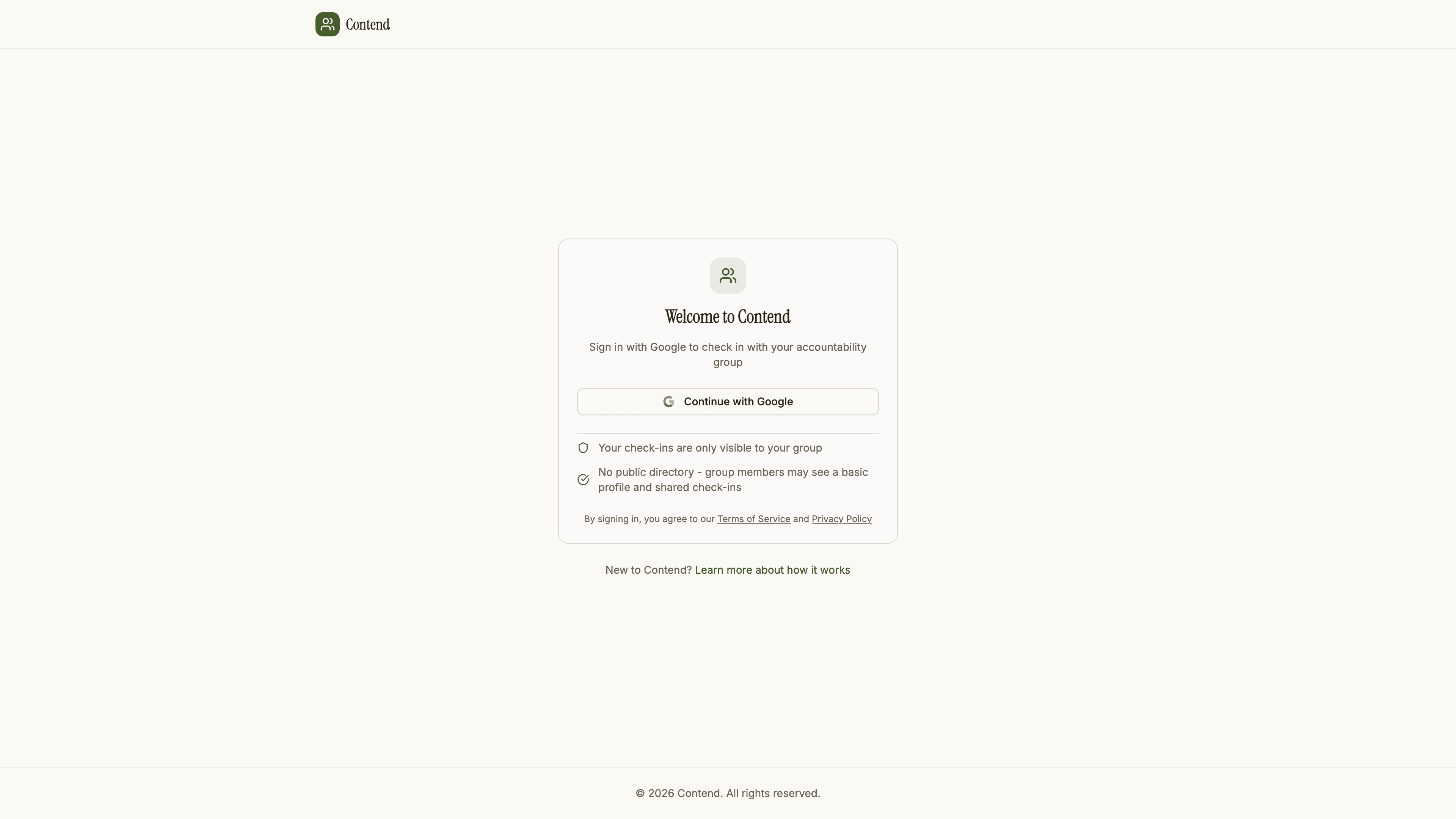
A few reassurances right up front, which you'll also see on this screen:
- Your check-ins are only ever visible to your own group.
- There's no public directory. Group members only see a basic profile and the check-ins you choose to publish.
Create or join a group
After signing in, you'll arrive at your home screen. This is where everything in Contend revolves around your groups. You have two paths depending on your situation:
- Create a group if you're the one setting things up for your accountability partners, sponsor, or recovery group.
- Join a group if someone already invited you. You just need their invite code or invite link.
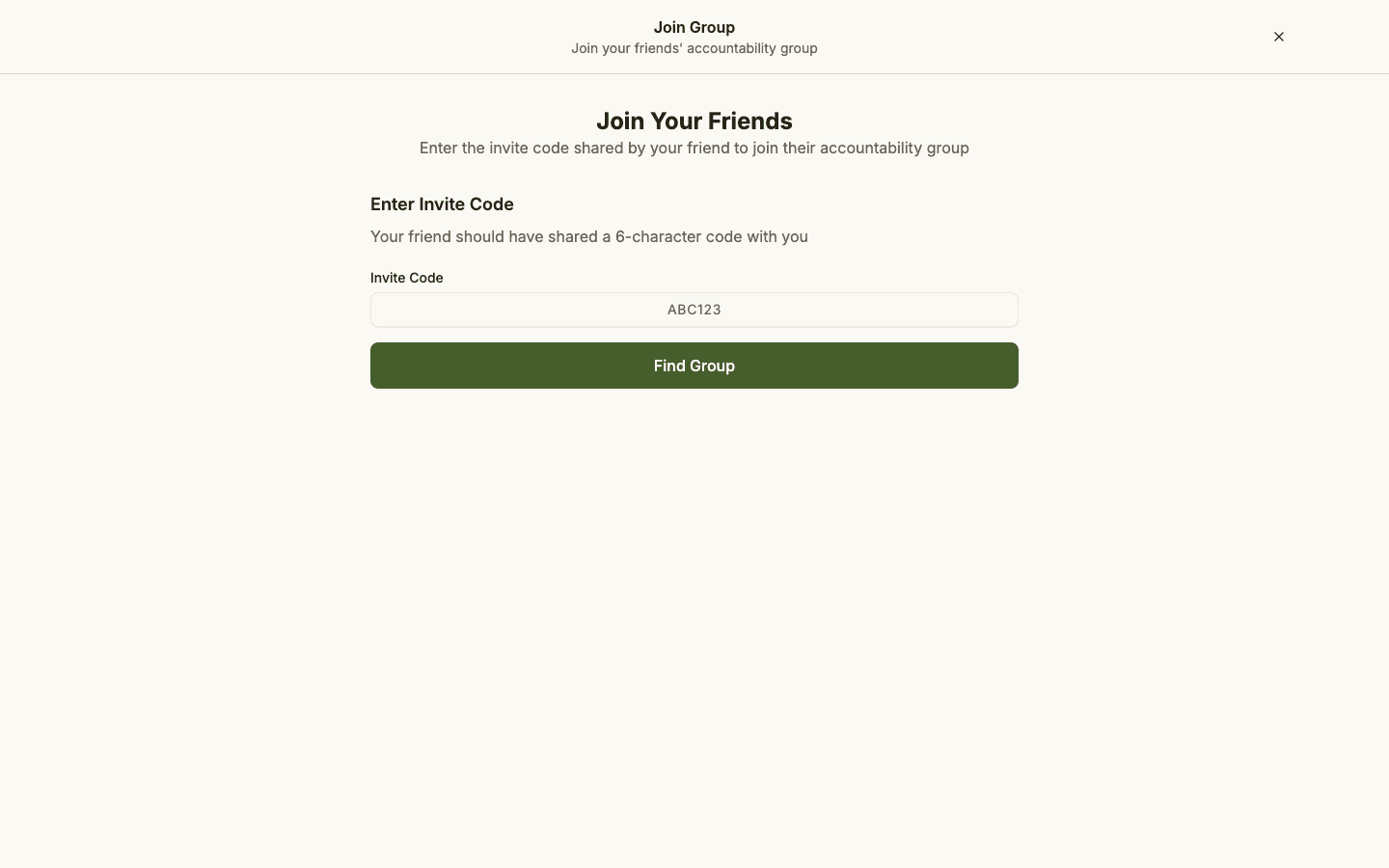
Joining an existing group? Choose Join group and enter the 6-character invite code a member shared with you (or simply open their invite link after you sign in).
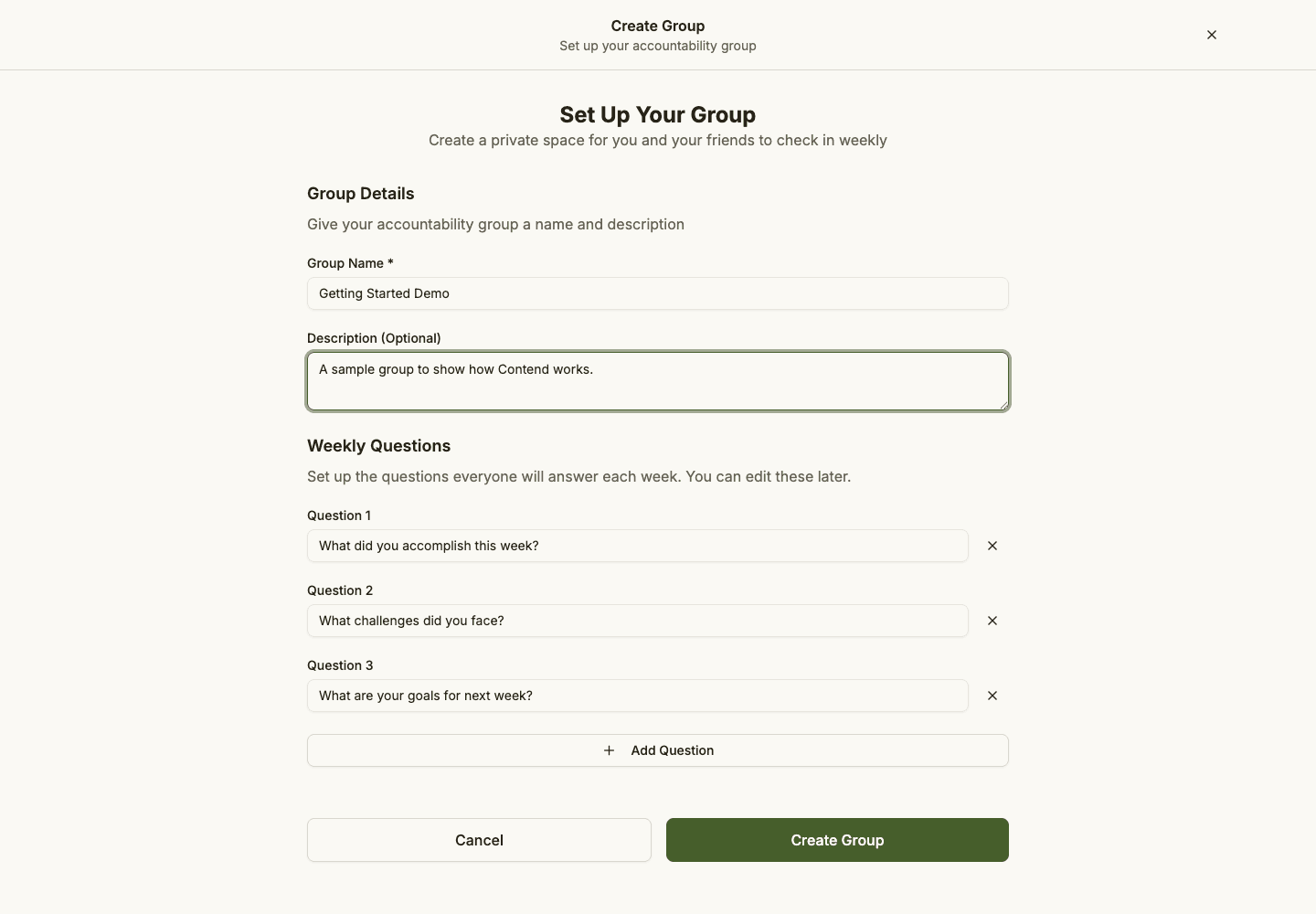
Setting up your own group? Creating one only takes a moment. Give it a name your people will recognize (for example, "Tuesday Men's Group" or "Sponsor + Me"), and you'll be ready to set up your check-in.
If a friend sent you an invite link, opening it after you sign in drops you straight into their group, so you can skip ahead to your first check-in. If they gave you a code instead, choose Join group and enter it.
Customize your check-in questions
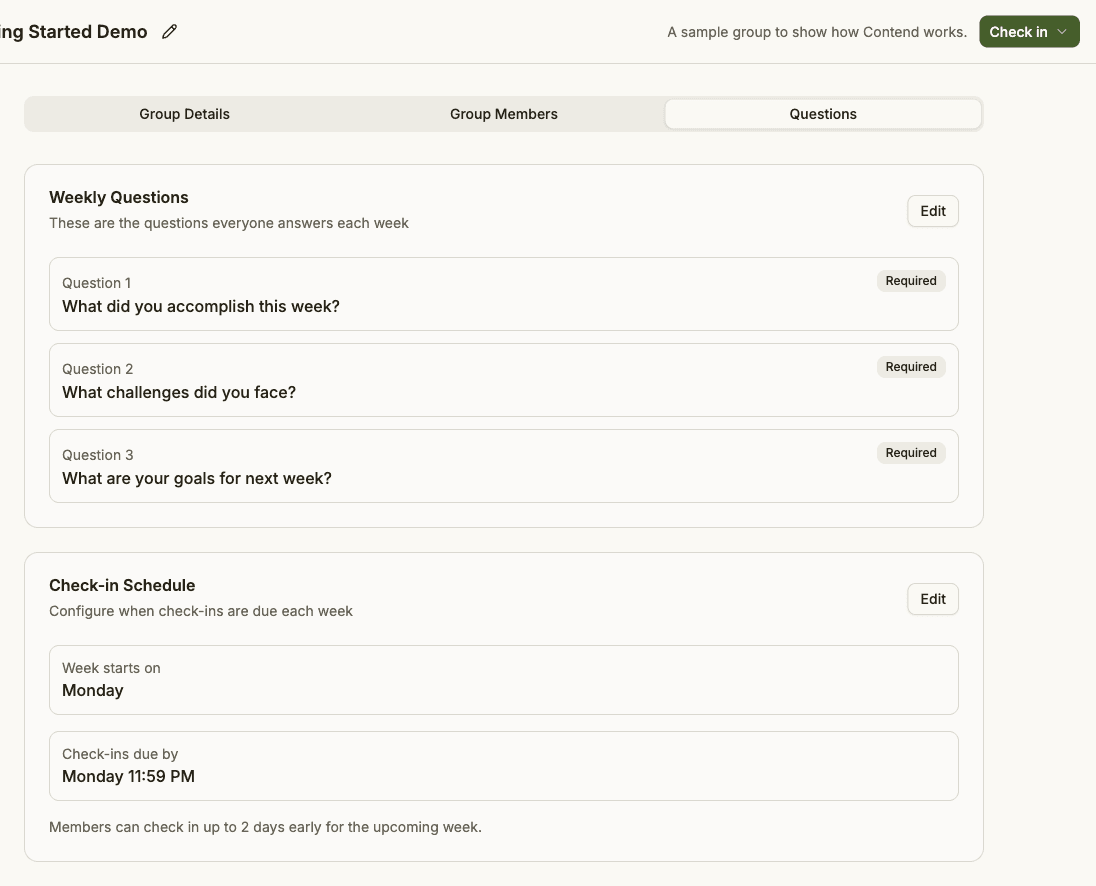
Every week, your group answers the same set of check-in questions. Contend comes with thoughtful defaults, so you can start immediately, but you can also edit them to fit your group's focus, either while creating the group or later from the group settings.
Not sure what to ask? We put together a list of accountability check-in question ideas you can borrow from. Good questions are specific, honest, and forward-looking.
Invite your people
A group is only as good as the people in it. Once your group exists, share your invite code or invite link with the people you want to stay accountable with. They sign in, join, and you're connected.
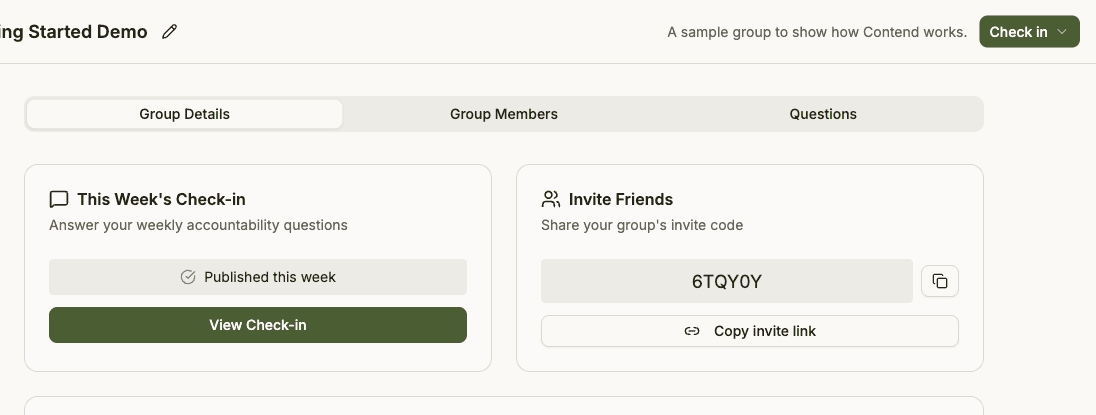
Inviting one trusted person is enough to get real value. You can always grow the group later. The standard plan supports up to 50 members.
Complete your first weekly check-in
Now the part that actually moves the needle. Open this week's check-in and answer the questions in your own words. It usually takes about five minutes. A few things worth knowing:
- Draft privately. Your answers are saved as a private draft as you go. Nothing is shared with the group until you're ready.
- Publish when ready. Hitting publish makes your check-in visible to your group so they can read it and respond.
- Respond to others. Read your group's published check-ins, leave a comment, or add a reaction so support stays right on the check-in.
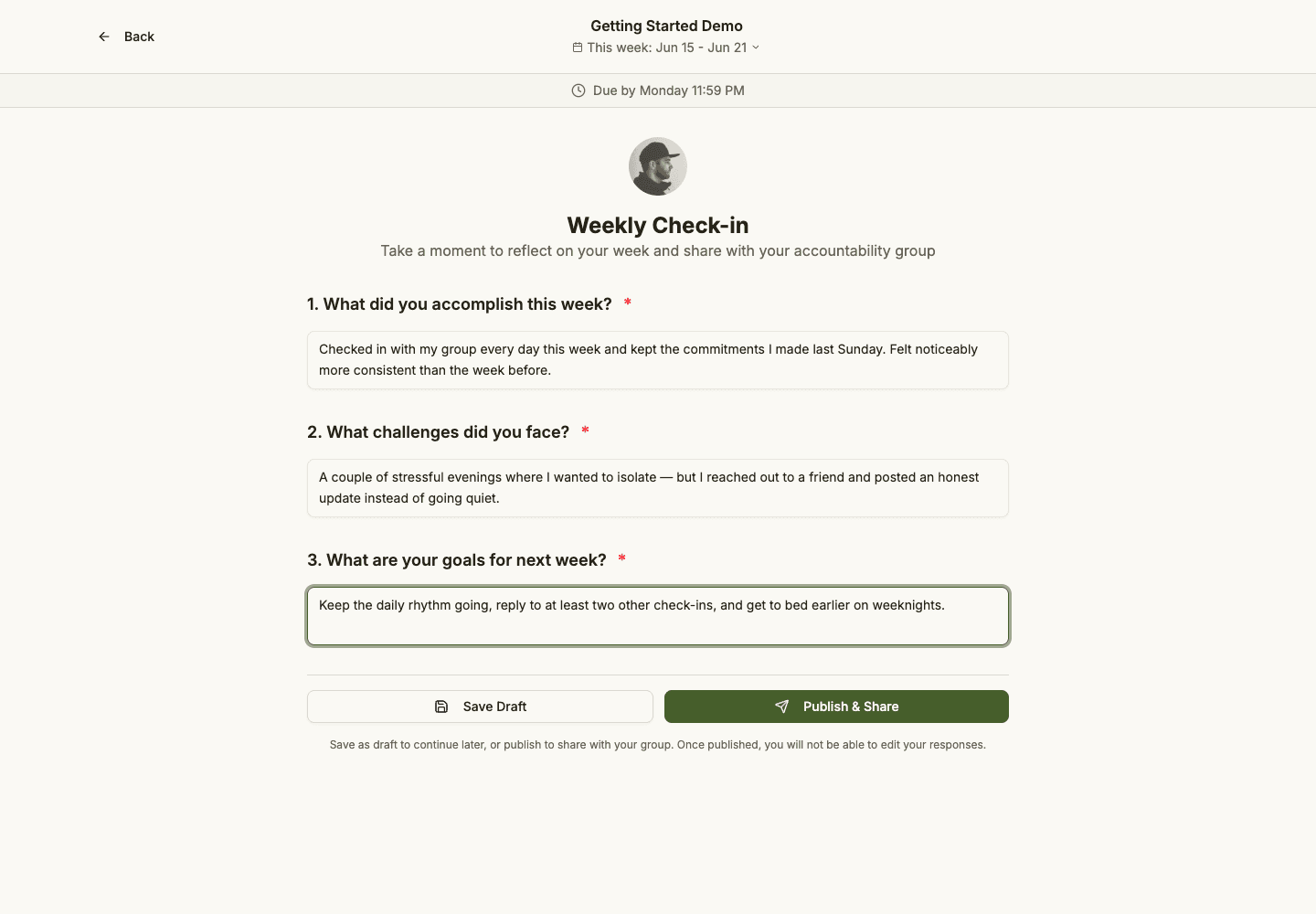
That's it. You've completed your first check-in. From here, Contend settles into a simple weekly rhythm.
See participation and progress add up
As weeks go by, your home screen and profile turn your check-ins into something you can actually see: who showed up this week, your personal streaks, milestones, and how consistently you check in. It's the quiet proof that accountability is happening.
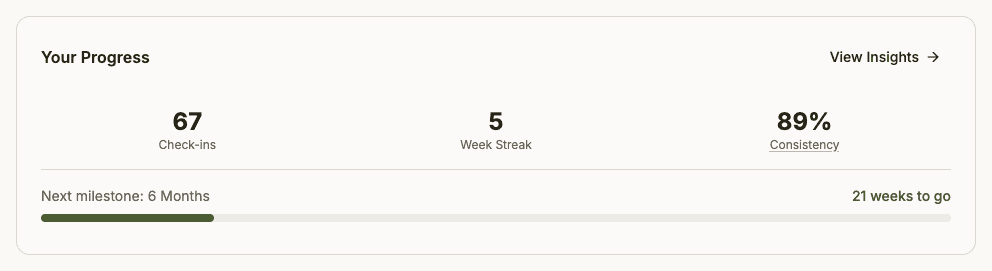
A simple weekly rhythm
Once you're set up, using Contend looks the same every week:
- Open the app and answer this week's check-in (about 5 minutes).
- Publish so your group can read and respond.
- Read your group's check-ins and encourage one another.
If you'd like a nudge, you can opt in to a Monday email reminder in your settings. Otherwise, Contend stays quietly out of the way until you open it.
Frequently asked questions
Do I need to download an app? No. Contend runs in your browser on any device. You can add it to your home screen for quick access if you like.
Who can see my check-ins? Only the members of your group, and only after you publish. There's no public feed and no advertisers.
Can I be in more than one group? Yes. Many people keep a group with their recovery circle and a separate one with a single accountability partner.
What if I miss a week? Nothing breaks. Just check in the next week. Accountability is a practice, not a perfect streak. The point is to keep coming back.
You're ready
That's the whole onboarding flow: sign in, create or join a group, set your questions, invite your people, and publish your first check-in. The hardest part of accountability is showing up consistently, and that's exactly what Contend is built to make easy.
Want a deeper look at the why behind it all? Read What is Contend? or how to start an accountability group.